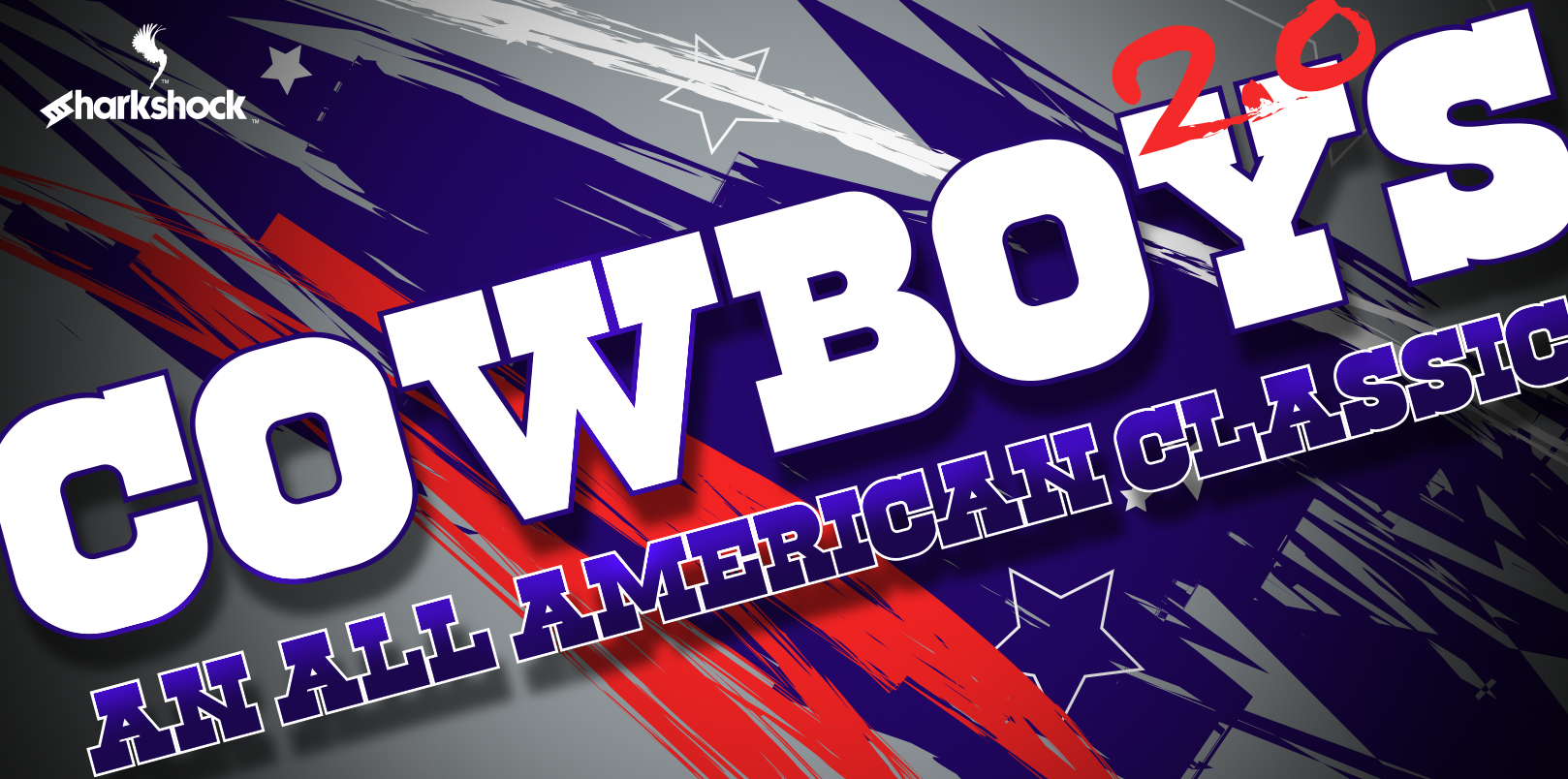
Cowboys 2.0
After several years as a long-time classic, the popular slab serif receives a facelift the size of Texas. Cowboys 2.0 is a careful redesign built to meet today’s standards for print while preserving the distinctive character that made the original a go-to for posters, logos, and apparel. This is a titling display font—not every character is included, so you’ll need to confirm that the glyphs you rely on are supported. Basic Latin, Extended Latin, Cyrillic, punctuation, kerning, and an Outlines version are included. For designers, marketers, and small business owners who value dependable typography, understanding exactly where Cowboys 2.0 fits in a project workflow is essential.
Understanding the Scope of Cowboys 2.0
Before integrating any display typeface into a project, it helps to know precisely what you’re working with. Cowboys 2.0 is a slab serif with a strong, confident presence—the kind of face that anchors a headline or a hero graphic. The redesign addresses two common pain points in display fonts: incomplete language support and inconsistent spacing. Here, you get Latin Extended and Cyrillic character sets, which immediately broadens the potential audience for a project. The inclusion of an Outlines version means you can hand off vector shapes to screen printers or sign makers without worrying about missing fonts or unexpected substitution.
But limitations remain. As a titling display font, Cowboys 2.0 does not include small caps, fractions, or extensive ligatures. The designer made deliberate choices to keep the font lean and focused on high-impact use. When you plan a brand or a campaign around this typeface, you work within those boundaries—and that is where practical preparation pays off.
Where Cowboys 2.0 Fits in Your Creative Workflow
Integrating a new typeface is not simply a matter of installing it and picking a size. Cowboys 2.0 works best when its role is defined early in the process. Consider where it appears in the timeline of a typical project.
Before the Project: Character Set Verification
Early in the planning phase, confirm that every character you need is actually in the font. If your product name or tagline uses accented letters, Cyrillic characters, or punctuation not found in the basic Latin set, you must test those glyphs in the font specimen. Make a checklist of all the characters your final output requires—logos, product names, headlines, and call-to-action text. Cowboys 2.0 covers a wide range, but the responsibility to verify is yours. This step prevents last‑minute substitutions that can break a design.
During the Design Phase: Pairing and Spacing Adjustments
Once you know the character set works, bring Cowboys 2.0 into your preferred layout software. The font includes kerned pairs, but you may still need to fine‑tune spacing for your specific combination of letters. Because this is a display face at larger sizes, even small kerning adjustments affect readability and visual cohesion. Work in a dedicated spacing pass after you’ve set your headlines. If the Outlines version is available, you can also open the vector shapes directly in Adobe Illustrator or similar tools for precise control over letterforms—particularly useful for custom logos where the type becomes the logo itself.
After the Design: Output and Handoff
When the design is final, the Outlines version streamlines handoff to production. For T‑shirts, you give the screen printer a vector file with no font dependencies. For posters, you embed the font or convert to curves. The Outlines version guarantees that your spacing and character choice are locked in. No missing font dialogs, no reflow. This is where Cowboys 2.0’s redesign pays its biggest dividend: it closes the gap between design and print production.
Practical Implementation Tips
Making Cowboys 2.0 part of your daily toolkit requires more than wishful thinking. Here are actionable guidelines that correspond to real tasks.
- Test in the environment you will use. If your final output is a poster printed offset, test the font at the actual printed size and resolution. Display fonts can behave differently at very large sizes—losing definition in thin serifs or creating awkward traps. Cowboys 2.0 is redesigned for print, but no preview on screen replaces a proof.
- Use the Outlines version for logo creation. Logos frequently need to scale from a tiny social media avatar to a billboard. The Outlines version lets you adjust individual letterforms, tweak overlaps, or add custom modifications without affecting the font file itself. Keep the original font for editable text elsewhere, but build your logo with the outlines.
- Check language coverage early. If you serve audiences in Eastern Europe or Central Asia, the Cyrillic coverage can be a competitive advantage. But test the complete message—accents, punctuation, and text flow. Some Cyrillic letters require specific spacing adjustments that the built‑in kerning may not fully cover. Plan for a quality control pass before sign‑off.
- Pair Cowboys 2.0 deliberately. Because this is a strong slab serif, it pairs best with a neutral or light sans‑serif for body copy. Avoid pairing it with another loud display face. For marketing materials, use the slab serif for headlines and a simple Grotesk or neo‑grotesk for subheadings and body.
Working with the Outlines Version
The Outlines version is not simply a converted TTF—it is a separate component of Cowboys 2.0 that provides smooth vector paths. For designers who produce files for screen printing, laser engraving, or large‑format cutting, this is a major efficiency gain. Instead of manually converting text to outlines in your design app (and risking hidden errors), you can use the pre‑made outlines and focus on layout and color.
However, the Outlines version is static. You cannot edit the text as type—no spell‑check, no font substitution. Use it only when you are confident the text is final. A good workflow: set the text in the regular version, lock all spacing and character choices, then swap to the Outlines version for export. Keep a backup of the editable version in case revisions come in.
Compatibility and Preparation
Before committing to Cowboys 2.0, verify compatibility with your software ecosystem. The font is delivered with kerning tables designed for modern layout engines. In desktop publishing apps like InDesign or QuarkXPress, the kerning should work automatically. In web‑based design tools like Canva or Figma, import the font and test a few sample lines. Some platforms do not honor kerning tables from desktop fonts, so you may need to adjust spacing manually.
For long‑term consistency, create a typography specification document for your brand or client. List Cowboys 2.0 as the primary display face, note the exact version, and include the character range you confirmed. When revisiting a project months later, you or your team will not have to re‑verify the same details. This simple preparation protects consistency across campaigns.
Real‑World Use Cases
Cowboys 2.0 fits scenarios where a voice needs authority and readability at large sizes. Consider these concrete examples:
- T‑shirt graphics: A bold headline for a retro‑themed apparel line. The slab serif conveys durability and a bit of grit. With the Outlines version, you deliver vector files directly to the printer, avoiding font licensing issues in the production house.
- Logo lockups: For a small brewery or a leather goods brand, the slab serif adds a hand‑drawn feel without being script. The extended Latin and Cyrillic sets let the brand expand geographically without a redraw.
- Poster series: Event posters, film titles, or conference banners benefit from the strong x‑height and tight spacing of Cowboys 2.0. The facelift includes refined curves that read well from a distance.
- Product packaging: Highlight product names or features in a crowded retail environment. The font holds up even when printed on textured materials like kraft paper or corrugated board.
Long‑Term Use and Consistency
Font choices often outlast individual projects. If you adopt Cowboys 2.0 as a standard for headlines across a series of materials—seasonal menus, special edition packaging, merchandise—consistency becomes paramount. Keep a single version of the font in your team’s shared library. Use the same weight and style throughout. Because the redesign tightened up spacing and glyph alignment, you can reuse layouts from one campaign to the next without re‑adjusting kerning for every occurrence.
Over time, you may discover missing characters or a need for additional weights. Cowboys 2.0 is a single display weight, so plan accordingly for hierarchy. Use size and color to create variation rather than relying on a thin or bold cut that does not exist. This limitation is not a flaw—it forces clarity in your typographic system.
The test of any font in a design workflow is whether it reduces friction or adds it. Cowboys 2.0, with its redesigned character sets and Outlines version, reduces friction at the production handoff. The upfront effort—verifying character support, testing spacing, preparing outlines—pays for itself every time a project goes to print without a hitch. For the professional who values efficiency and outcome over novelty, Cowboys 2.0 is a practical upgrade to a classic tool.